
 Back to the arcade
 45-second rounds · 3 min read
 Play Shape Rotate
What is Shape Rotate?
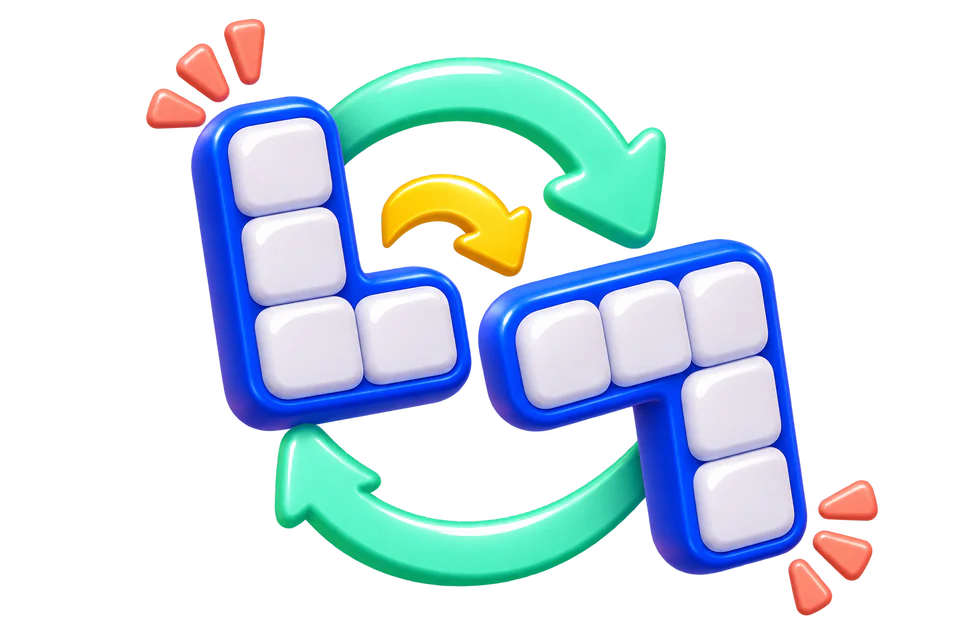
A blue mosaic appears beside the orientation you need to reproduce. Your job is to turn the entire left-hand shape, preserving every cell relationship, until it matches the target. This is spatial rotation rather than finding a different symbol: individual squares cannot be moved, removed, or reflected.
Rules and controls
- Use the clockwise and counterclockwise controls to turn the working mosaic by ninety degrees. The arrow keys perform the same turns when the stage is focused. Matching the target immediately completes one objective and starts a new board after the transition. Turning through intermediate orientations earns nothing by itself, so circling repeatedly cannot increase your result.
- Controls respond only during active play. The countdown and the brief change between boards are pauses, not opportunities to submit the next answer early. Touch controls and native Tab/Enter button activation follow the same replay rules.
Use the controls displayed above the playfield. Touch buttons and keyboard shortcuts are shown before the round begins.
Scoring and rewards
The game scoreboard gives 100 for each correct matched rotations objective and subtracts 25 for a recorded mistake, with a minimum displayed score of zero. Only new, accepted objectives count; waiting or repeating completed work does not create achievements.
Reward points use verified performance against this game’s reference pace rather than its raw scoreboard. The reference is: Inspect the target and turn the mosaic at a deliberate reference pace. Full reference performance corresponds to 40 base reward points and 60 XP per minute; the account’s level bonus is applied separately.
Points and XP scale with objective performance, precision, and round length. At full reward performance, a 45-second round earns up to 30 base points and 45 XP. Each level gained adds a 0.1% point bonus. Guest practice has no reward balance.
For eligible rewarded rounds, points remain pending until the sponsored claim’s 12 seconds of focused time and fresh hCaptcha are complete. No ad click or purchase is required.
How difficulty changes
Early boards use a three-by-three mosaic. Higher difficulty expands it to four-by-four, requiring you to compare a longer arm and a more detailed silhouette. Each new target still differs from the starting orientation, and every board can be solved by rotation alone.
Difficulty increases after every three starts of this game during a UTC day, up to level 10, and resets at 00:00 UTC. Your player level and its point bonus are separate from the game’s daily difficulty.
Strategy
Plan the next move
Locate an asymmetric feature before turning: the long vertical arm or the missing corner is a better reference than the overall block of color. Mentally follow where that feature moves after a quarter turn.
Check before committing
Choose the shorter direction when you can. A target three clockwise turns away is only one counterclockwise turn away. Count turns rather than clicking rapidly and trying to stop on the correct frame.
A worked example
- Imagine the long arm runs down the left edge and the target has that arm across the top.
- A clockwise quarter turn moves the left edge toward the top.
- Turn once, then compare the short arm and the empty corner too. If both agree, the board completes automatically.
Common mistakes
- A mirror reflection is not a rotation. Look at which side of the long arm the short arm occupies.
- Repeatedly reversing direction wastes round time, even though a legal intermediate turn is not counted as a wrong answer.
Questions
Must I press a separate check button?
No. The board checks orientation after each turn and recognizes a match immediately.
Does every rotation earn points?
Only a completed match earns an objective. Intermediate turns and waiting do not create achievements.